
Edit a category
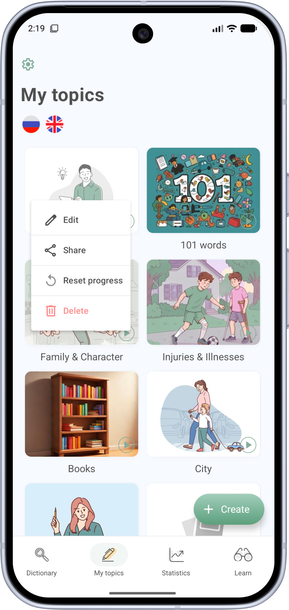
- Open the My Topics tab.
- Press and hold the cover of the topic you want to edit.
- Tap Edit.
- You can change the name, cover (tap it), or move the topic into another folder — or make it a main category. To do that, tap:
- Subcategory and choose the parent topic;
- Category to make it a main topic.
- Tap Save at the bottom of the screen.