
How to share your materials
You can share the contents of any topic folder (vocabulary and texts) with friends or students.
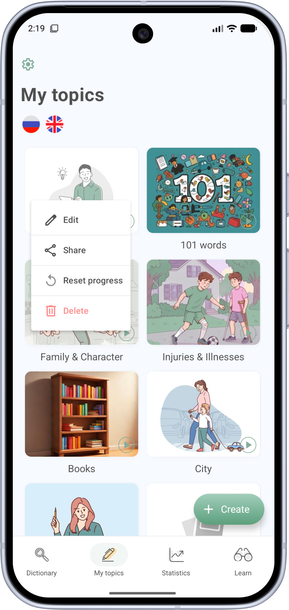
- Open the My Topics tab.
- Press and hold the topic folder icon.
- In the menu, choose Share.
- Send the material through any messenger.
Note. You can share a category if it has no more than 500 words, 50 texts, and 10 subcategories. Books are not included when you share.